Inspect TCP/UDP ports and stop processes from Noctalia
Screenshots
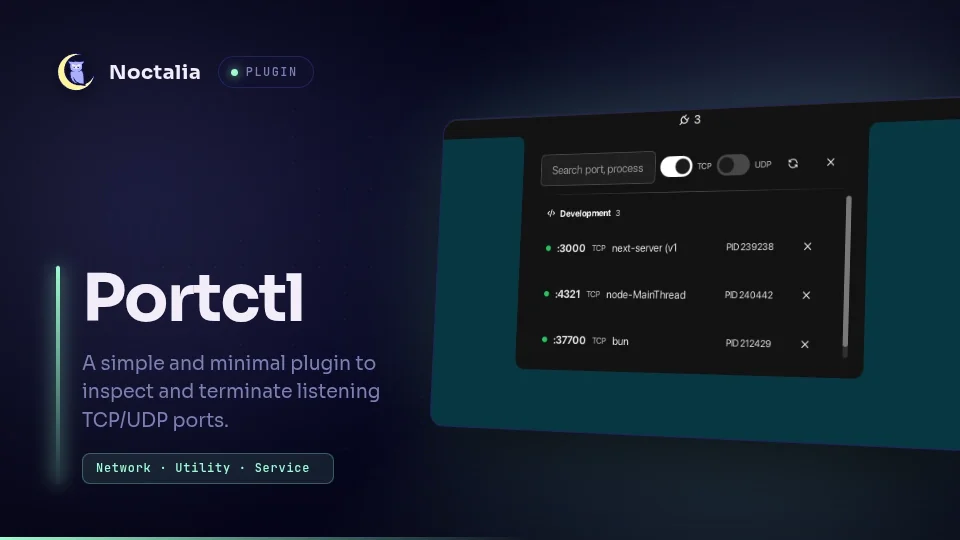
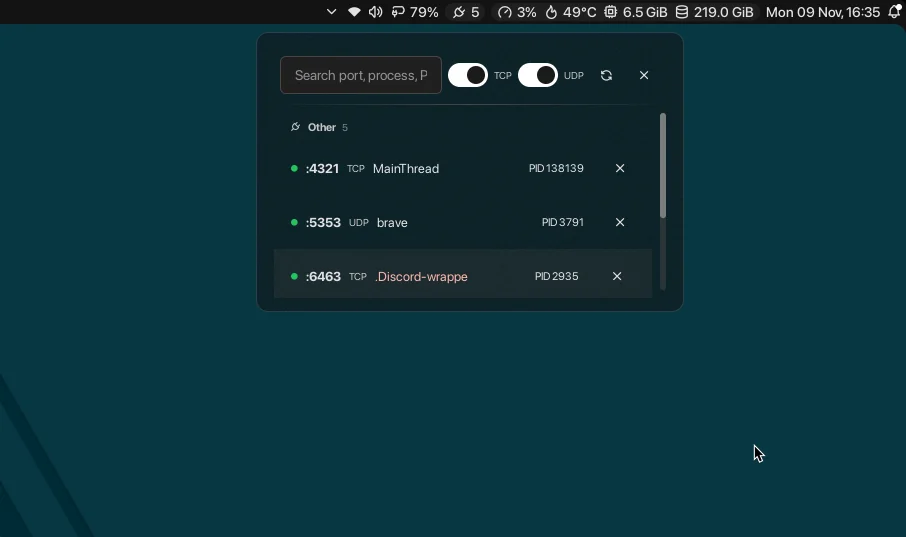
A contribution to the bar I use
I used to run Waybar. Now I use Noctalia: I like its subtle animations and how it fits into my desktop. When I started using Linux, every MB of RAM mattered. My machines are more powerful now, so I can also choose tools for how they feel to use.
I wanted to contribute something to Noctalia, and I had an everyday problem to solve.
That port is already in use
Sometimes I’d close a tmux tab, something would freeze or a server would keep running without me noticing. When I tried to start it again, the usual port was taken. Or the tool would quietly pick another port, leaving me to work out what happened.
I’d open a terminal, find the process listening on the port and look up its PID to stop it. Portctl brings that workflow into the bar.
Find it and deal with it from the panel
The indicator shows the number of listening ports and hides when there are none. One click opens the panel, with ports grouped into development, databases, containers, servers, cloud and other processes.
You can search by port, process or PID, and show TCP, UDP or both. Clicking a PID copies it. To stop a process, click the cross and confirm in the same row, without opening another dialog.
I built it for my own desktop and shared it as a Noctalia community plugin. Other people who ran into the same problem now use it too.
What it can detect
Scanning uses ss from iproute2 and runs locally. It makes no network requests and doesn’t elevate privileges to stop other users’ processes.
The panel can only show what ss detects. For example, container ports forwarded through pasta won’t appear if they don’t create a host-side socket. Root-owned processes whose details aren’t accessible can’t be stopped from the plugin either.